
Our Agent Business Analytic: Your Key to Measuring Success and Driving Growth

An annual review is more useful when it connects production, income, cost and time in one view. The Agent Business Analytic workbook is designed around that question: gather a year of business records, enter the inputs in one worksheet, and read the resulting report before deciding what to change.
A practical annual review
Use the workbook as a structured conversation with yourself, a coach or a team leader. Set the period you are reviewing, keep the source records nearby and write down the assumptions behind any estimate. The output is only as useful as the information entered.
Measure progress before choosing a change
Compare the year’s mix of business, dollar volume, gross commission income, referral income, marketing spend and time with the plan you intended to execute. The point is not a single score. It is a clearer view of which activities produced work, which costs supported them and where the next experiment deserves attention.
Gather one year of records
Collect the prior twelve months of MLS records and a working view of business expenditures. Include the categories the workbook asks for and note anything estimated or excluded. A consistent period makes the report easier to compare with the next review.
Use a repeatable method
A repeatable review creates a baseline for better questions. Keep the completed file with the source reports, record the review date and write two or three decisions that follow from the numbers. Repeating the same process later helps separate a real change from a different data set.
Start with the questionnaire
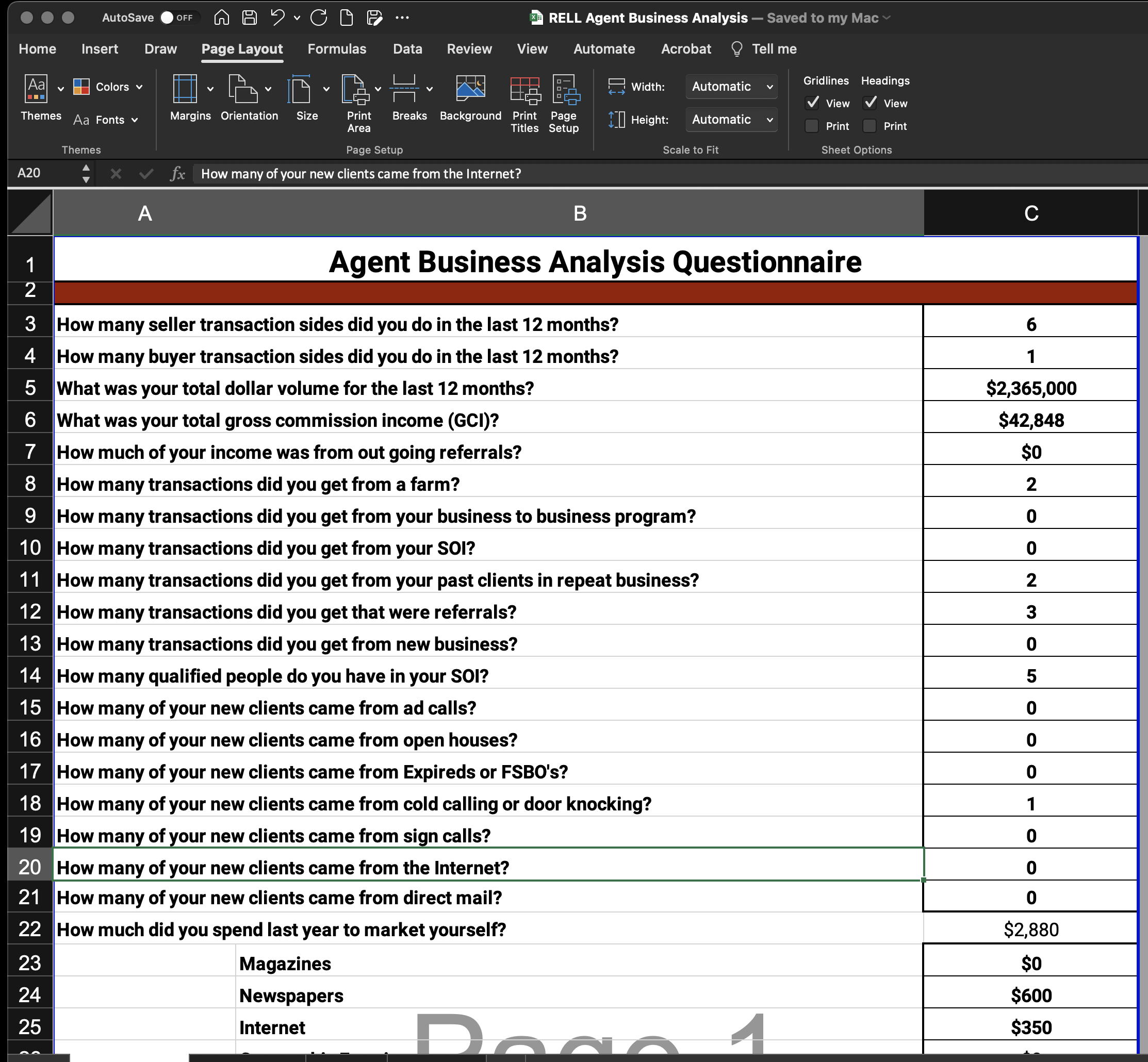
The first sheet collects the business information used by the report. Work through the grey input boxes, keep your definitions consistent and save the workbook on your computer. If a field does not apply, record that choice in your own notes so the next review uses the same interpretation.
Read the report in context
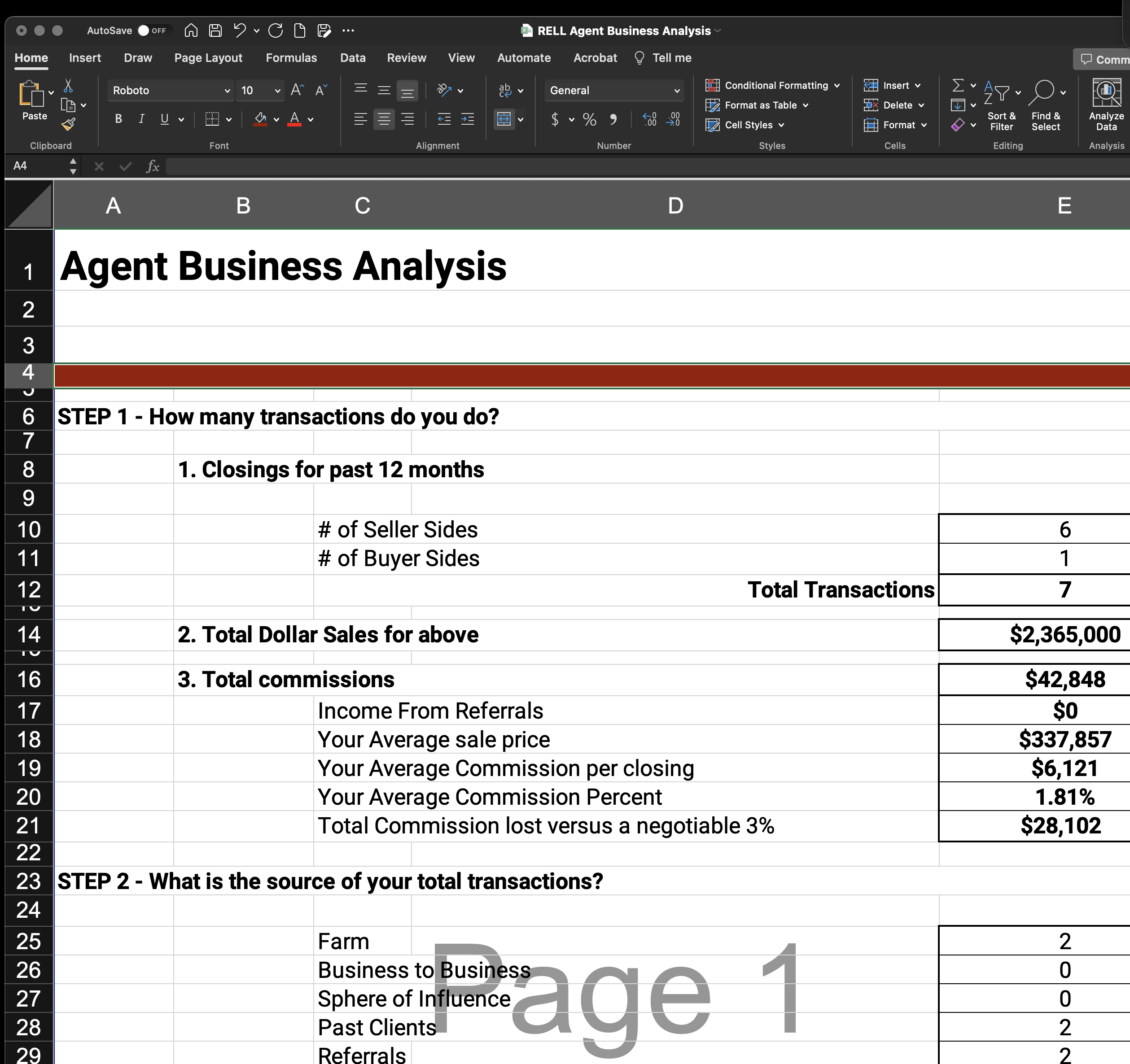
Use the report to ask where time and money are producing the strongest return. Separate what the workbook calculates from the decision you make: a high expense may support a valuable channel, while a low expense may still consume time without producing the intended result.
Turn the view into a conversation
Review the report with the person responsible for the next operating decision. Select one change, define how you will measure it and set a date to revisit the result. The workbook can support coaching or team planning when the source records and assumptions are visible to everyone using the analysis.
Complete the workbook
Step one: enter the inputs
Open the first tab and complete the input fields using the period and definitions you selected. Keep the records that support the entries with the workbook.
Step two: review the report
Move to the report tab after the questionnaire is complete. Read the transaction, income, expense and comparison panels as a connected view rather than relying on one number.
Step three: save the baseline
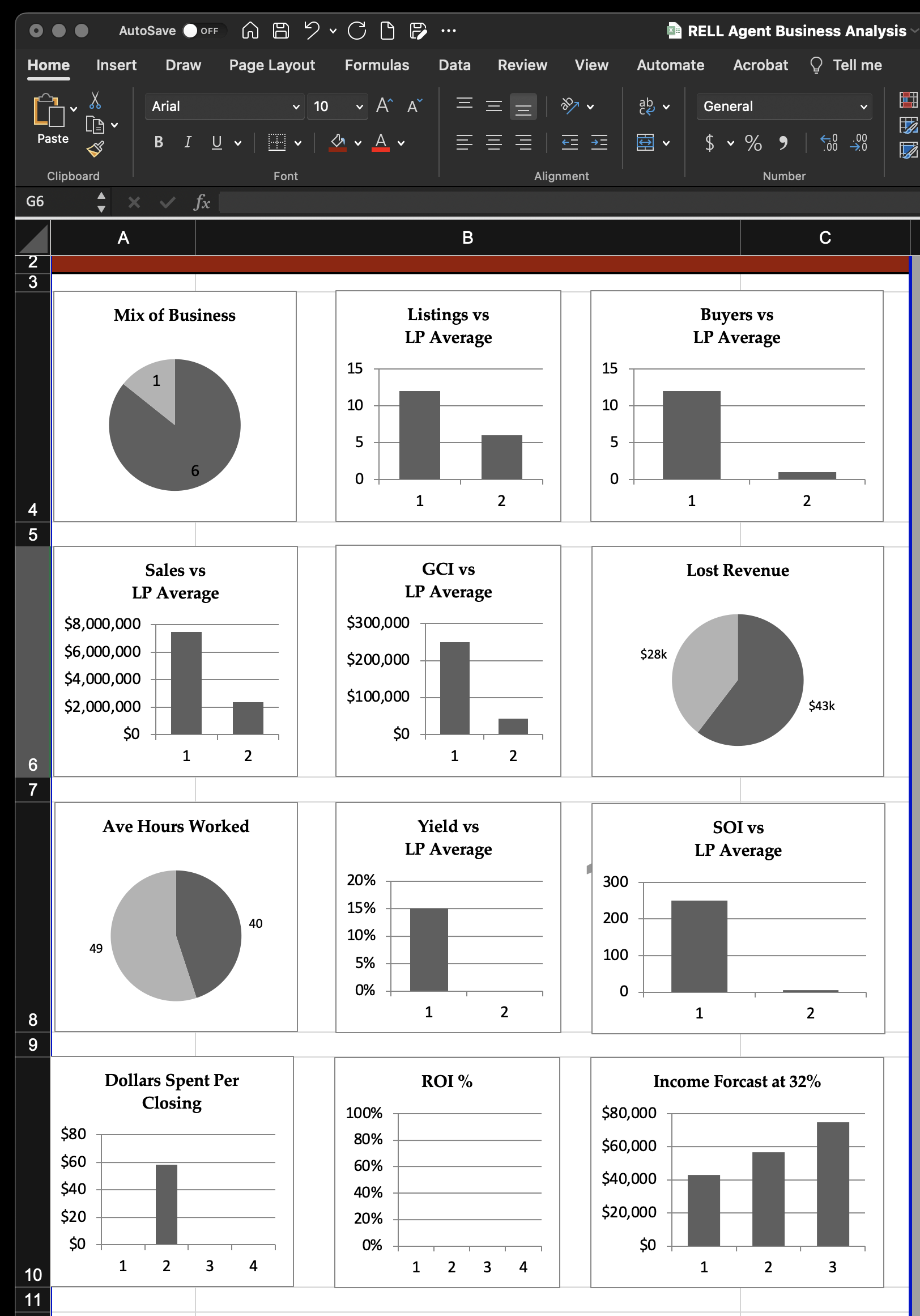
Print the report or save it as a PDF so the period and assumptions are recorded. Keep it with the workbook and the source reports.
Step four: choose one next move
Download the workbook, complete the review and select one measurable change for the next period. A focused decision is easier to test than a list of broad intentions.
Download the workbook
Download the RELL Agent Business Analysis Excel file and begin with the records for the period you want to understand. For related planning context, see optimizing LinkedIn and the coaching discussion.
Request a complimentary one-hour conversation with a senior advisor who is an experienced operator. Talk through your next move.